Analyst
ISTE Standard 7: Educators understand and use data to drive their instruction and support students in achieving their learning goals.
ISTE Standards for Educators
Educators utilizing the Analyst standards will:
- Provide alternative ways for students to demonstrate competency and reflect on their learning using technology.
- Use technology to design and implement a variety of formative and summative assessments that accommodate learner needs, provide timely feedback to students and inform instruction.
- Use assessment data to guide progress and communicate with students, parents and education stakeholders to build student self-direction.
Artifact #1: Theater Projects Menu
Although this may have been viewed previously, this is a project-choice menu I designed for my theater course this past year. The menu includes formative projects (appetizers) that build and hone the skills towards summative projects (entrees). Students will display all of their work as a portfolio (dessert).
Moreover, the project menu provides the opportunity for students to explore a variety of theater skills: performance, design, and writing. Ultimately, the menu project reflects the project management similar to a theater production.
This menu was supported by the Canvas LMS, which allowed the opportunity for students to utilize its tools and integrations to complete their work. For example, several students used Canvas Studio to record their monologues and dialogues.
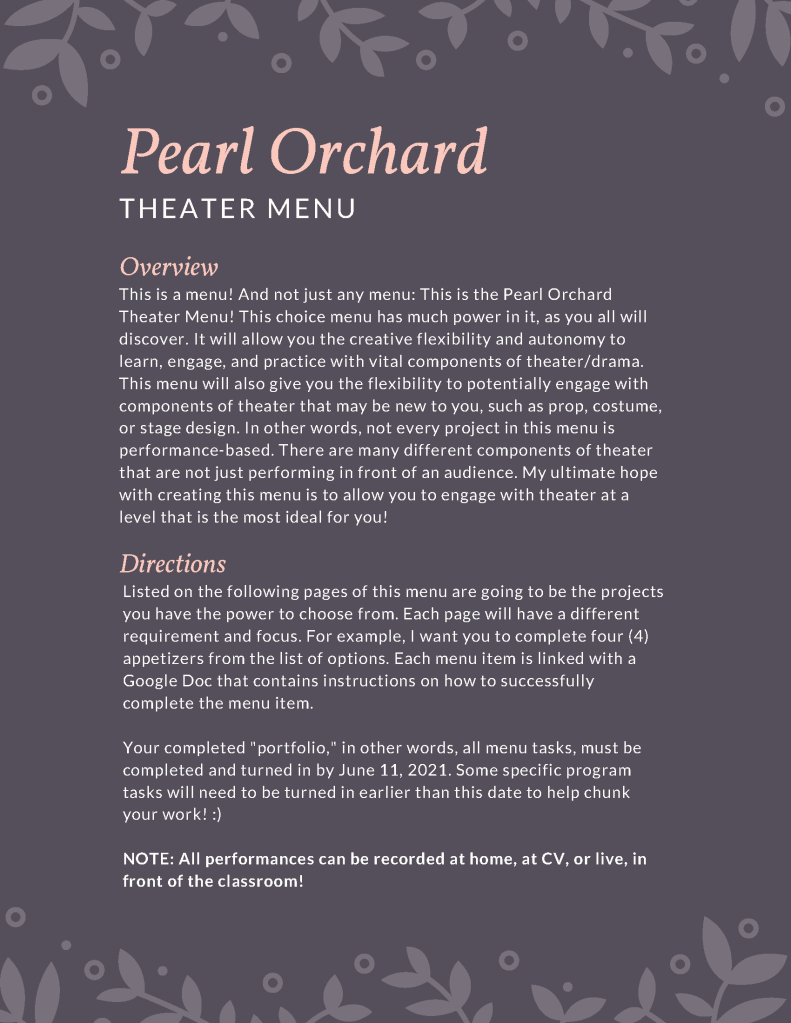
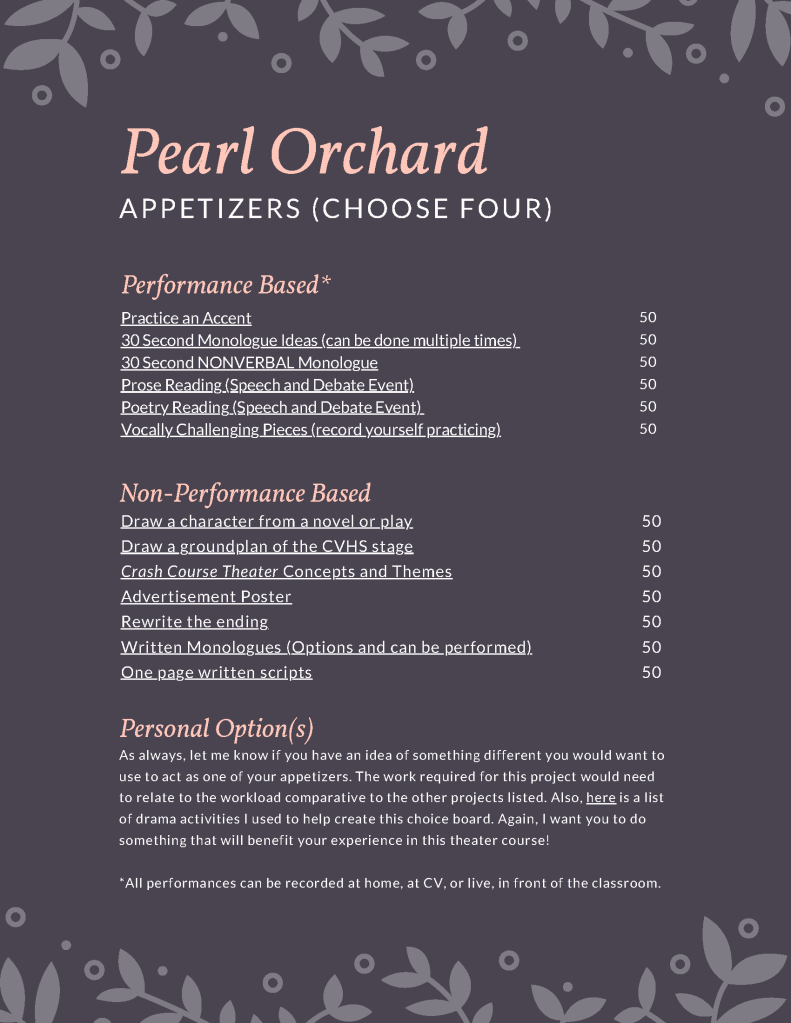
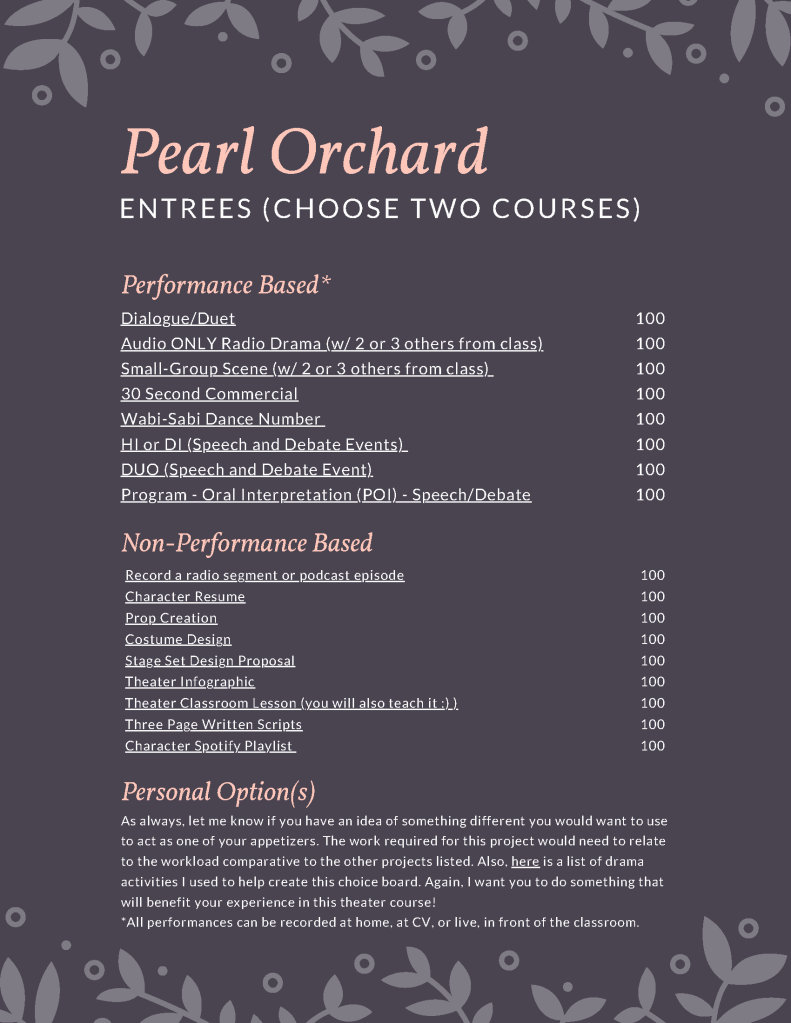
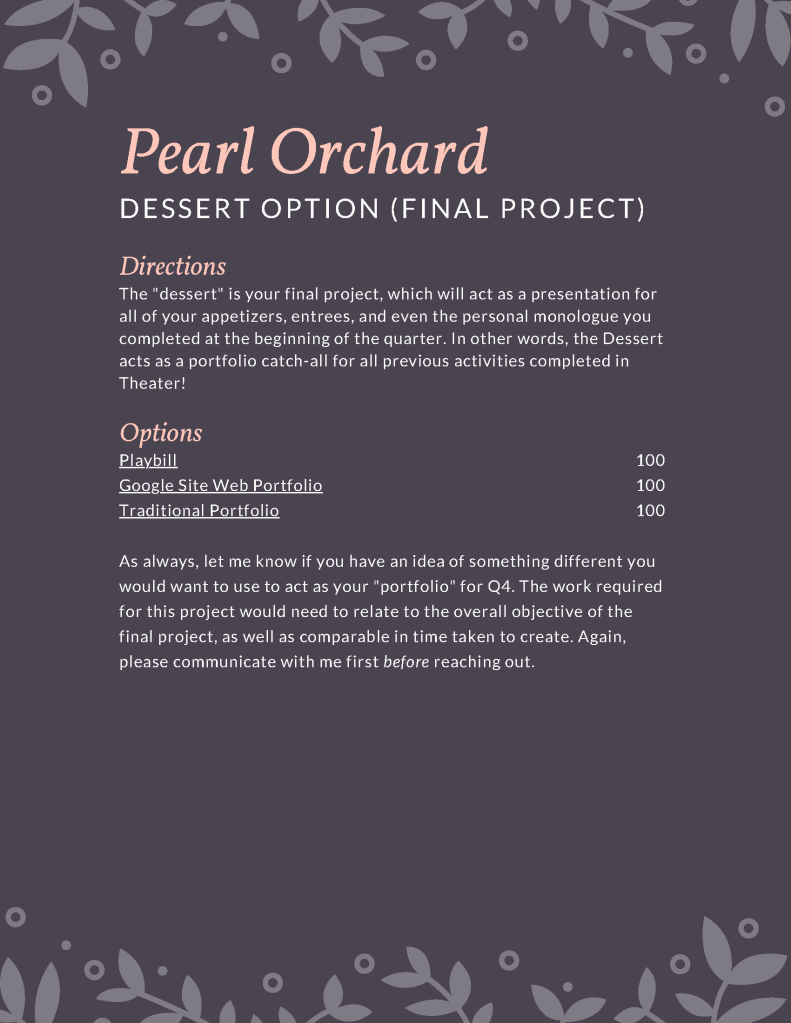
This project menu design represents ISTE 7a and 7b, in which I created a design to provide students multiple ways to demonstrate competency in theater. The multiple projects and design also take into consideration various student interests, such as performance, design, and drama literacy. Furthermore, the smaller appetizers act as formative assessments that build towards the summative entrees and portfolio dessert project.
Artifact #2: Mindfulness Google Form
During the 2019-2020 school year, one of my professional goals was increasing mindfulness in the classroom. In my AP US History, this goal translated to reducing anxiety on test day (APUSH is naturally an intense course). Right before a test or written essay was given, I would conduct a mindfulness exercise with students. Around Halloween, I asked students to activate their “Spidey Senses.” On the midterm final, classrooms took a silent walk around CV. After these exercises and the subsequent assessment, I utilized Google Forms to obtain data about how anxious students were leading up to the assessment, how anxious students were after the mindfulness exercise, and how anxious students were after the assessment.

NOTE: Google Forms cannot be shared for viewing only. The links below will force users to make a copy.
At this time, I was working with an OSU student who was researching standardized testing and anxiety in high school. The data was also being shared with students, parents, and educational leaders. Unfortunately, COVID threw a wrench in this process and the student at OSU had to forgo their research project. Regardless, using Google Forms to monitor student mindfulness and anxiety, especially in high-stakes situations, forced me to be mindful of the students in my classroom. Although I am not publishing the data from these forms, I can assert that mindfulness exercises reduced anxiety in my students prior to taking an assessment.
This Google Form represents ISTE 7c, as it leverages data from a form to help guide student self-direction with respect to mindfulness and test anxiety. I also communicated this data with various stakeholders.
Artifact #3: What is your American History? Projects
Similar to the theater menu project, I chose to remix an Open Educational Resource by Deirdre Tuit to develop a personal history project for my US History students. This project required a variety of components for completion, all of which included technology scaffolds. Students were asked to interview family members or neighbors. In class, I showed students how to utilize Canvas to easily record videos using Canvas Studio. If students did not use Canvas Studio, most utilized whatever audio recording function on their smartphones.
For the Community Snapshot and Family Artifact, I encouraged the students to submit whatever would bolster their snapshot or artifact, but my encouragement was heavily technologically biased. This resulted in an incredible variety of student submissions. For example, one student submitted a Canvas Studio recording presenting a necklace passed down from their grandfather. Another student created a collage of photos to represent their “community.” Some students turned in graphic designs of both their snapshot and artifact. All assignments were submitted via the Canvas LMS.
I have provided a link to copy the Google Doc version of this artifact below. If you use or remix, please provide the following attribution: Creative Commons Attribution-NonCommercial-ShareAlike 3.0 United States.
This set of projects represents ISTE 7a and 7b as it utilizes a variety of assessments to build towards a summative essay. The assessments also hold variety as most allow students to leverage technology to meet the expectations of the assessments
 KC Perley