Designer

ISTE Standard 5: Educators design authentic, learner-driven activities and environments that recognize and accommodate learner variability.
ISTE Standards for Educators
Educators utilizing the Designer standards will:
- Use technology to create, adapt and personalize learning experiences that foster independent learning and accommodate learner differences and needs.
- Design authentic learning activities that align with content area standards and use digital tools and resources to maximize active, deep learning.
- Explore and apply instructional design principles to create innovative digital learning environments that engage and support learning.
StoryMaps Project/Lesson Plan Artifacts
In Geospatial Technologies, I honed a project plan I created several years ago for AP US History. The project has students utilizing ArcGIS’s StoryMaps software to create online presentations that cement their understanding of US imperialism. As such, the learning experience combines AP US History and Oregon Social Studies content standards to have students meet various learning objectives, covering content and geospatial understandings. Students select a topic involving US Imperialism and use StoryMaps to complete the project’s requirements and meet the learning objectives. Also, StoryMaps is not required to accomplish the learning objectives of this lesson plan. To accommodate the great variety of learners in my classroom, as well as those with internet or technology barriers, this project can be completed as a Google Slide presentation.
Feel free to make a copy of the lesson plan, linked below. If you make any changes, please provide the correct CC attribution: StoryMaps US Imperialism Project Plan © 2021 by KC Perley is licensed under Attribution-NonCommercial 4.0 International.
Furthermore, I created a model StoryMap presentation that demonstrates what students need to do for their StoryMap. The StoryMap, titled “The Guano Islands Act,” introduces the project but also the topic of Imperialism. It contextualizes the entire unit, both content and technology. Although the StoryMap is presented in the classroom, the StoryMap could easily be utilized in a hybrid or online learning environment. StoryMaps are easily shared and accessible across devices.
The StoryMaps artifacts represent all Designer substandards. The StoryMap project combines content standards with technology to promote deep learning (5b), while also utilizing instructional design components to create an engaging online learning experience (5c). The project lesson plan, and StoryMaps, also represent ISTE 5a as technology was utilized to support independent learning.
Artifact #3: Theater Menu Project
Once we were back in person, I knew I needed to provide students with a lot of flexibility and choice. This was true in all of my classes, but especially in theater. I had a diverse set of kiddos: different ages, grades, and experience, interest, and comfort levels. I also needed to figure out a way to include students who did not return to school in person and remained online. With all of these variables, I used a Canva menu template and created the project menu visible.
The design of this menu allowed me to personalize the learning for my students. It allowed me to differentiate between those who enjoy performing and those who do not. For those who did not prefer to perform, I provided a variety of non-performance activities and projects that focused on prop, costume, and stage design, and reading and writing drama. Students also had the opportunity to come up with their own projects.
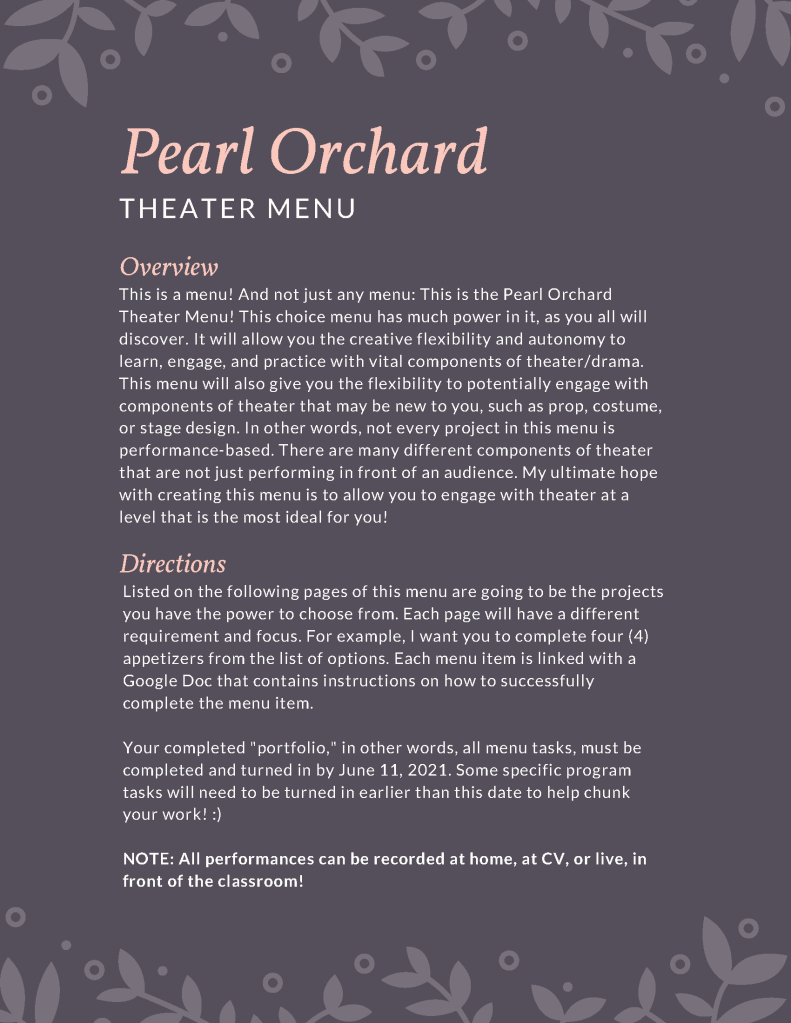
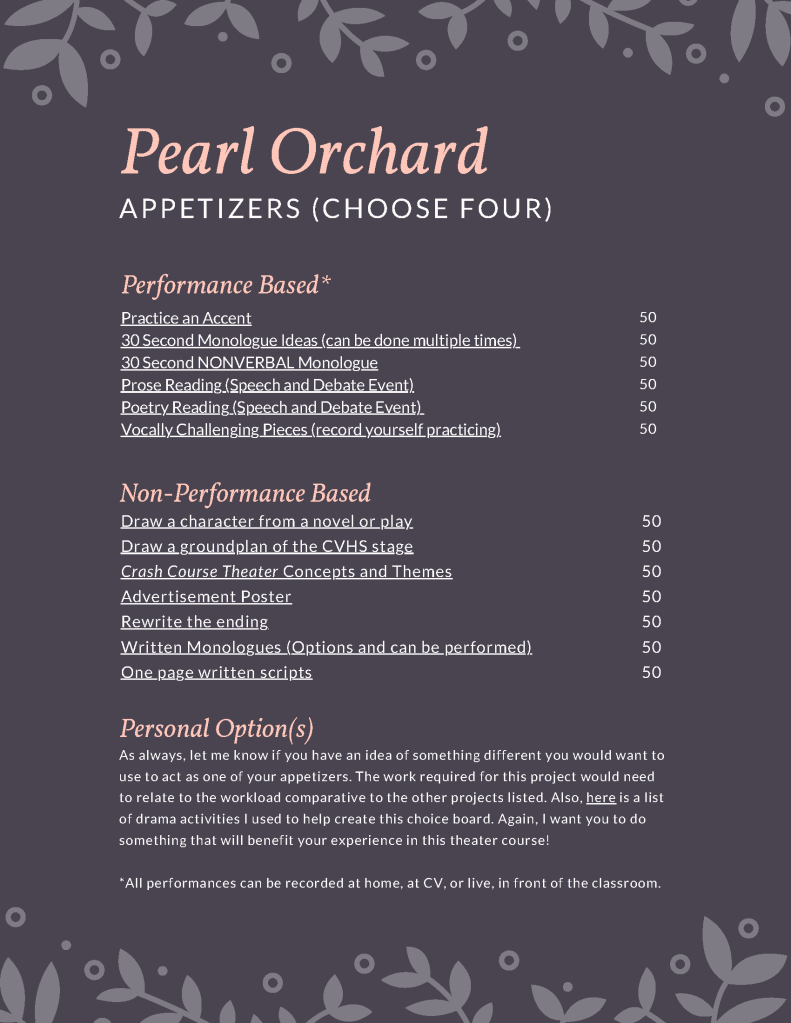
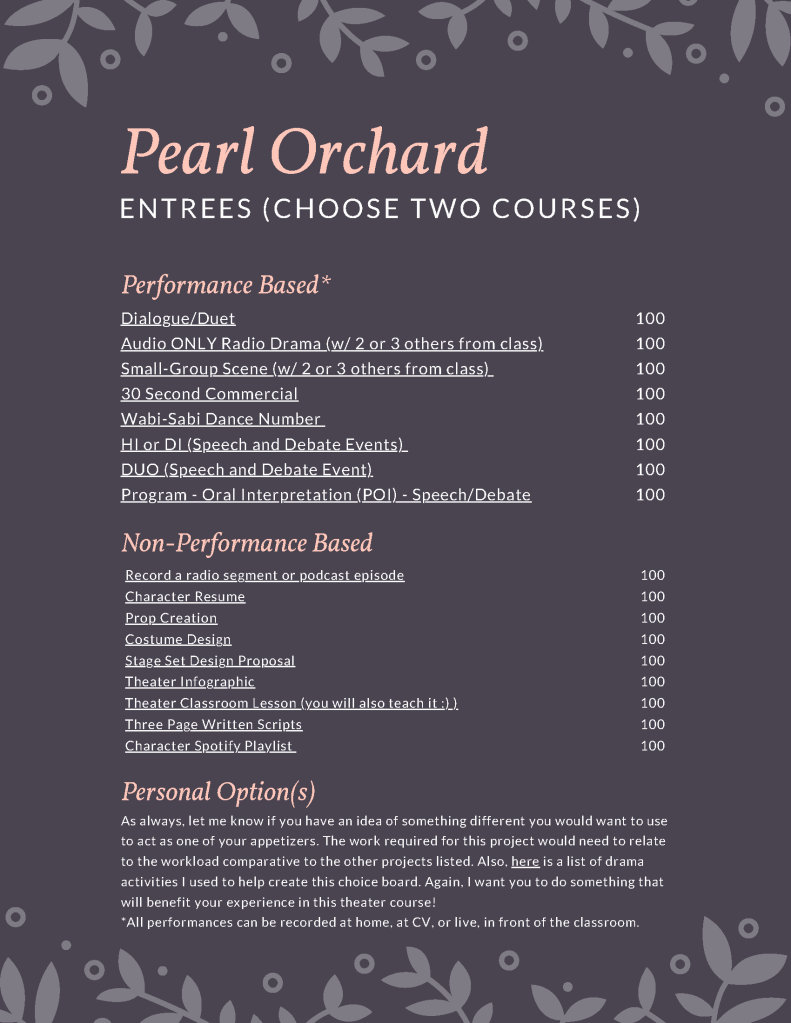
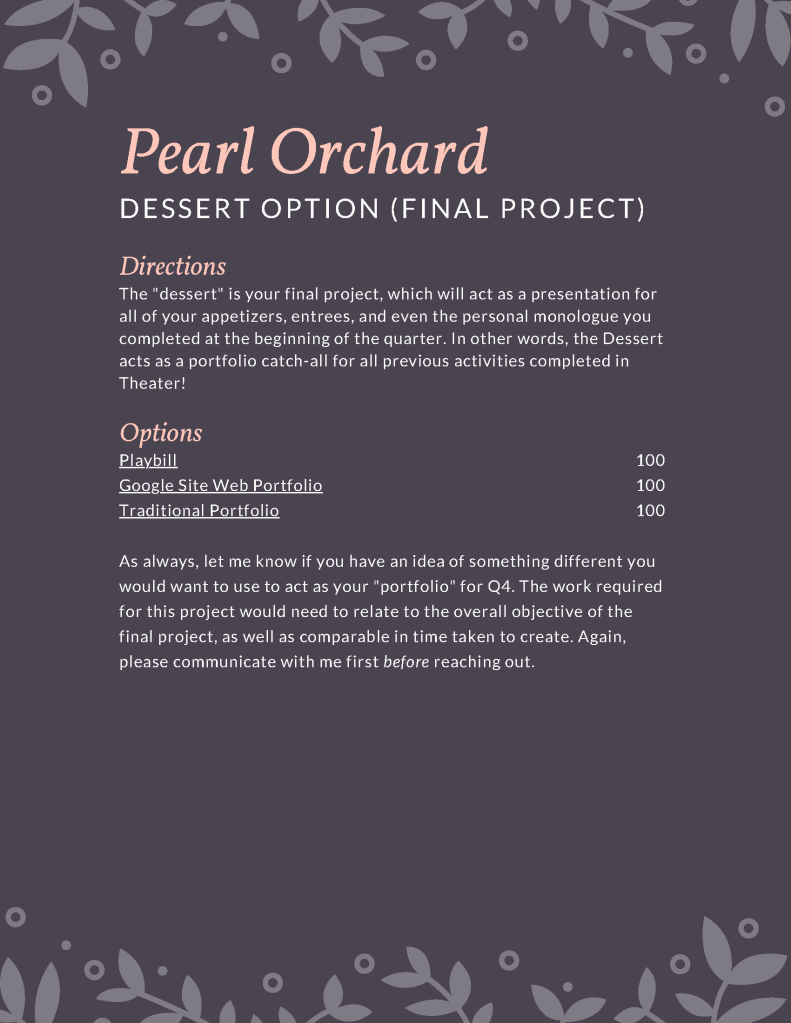
This menu project represents ISTE 5a and 5b as it provides students with variety to support independent learning, while also accommodating to various student needs. The learning activities also promote deep learning with respect to theater content standards.
Preparing for the APUSH Exam Artifacts
In Creating Web Tutorials, I utilized the course to benefit and support my AP US History students by creating all of my web tutorials around preparing and reviewing for the AP US History exam. In this course, I created four distinctly different web tutorials. Not only did I share these tutorials with my students, but I embedded them onto a Wix website for collective access.
Tutorial 1: Infographic
The infographic created gives information specific to my students at Crescent Valley High School, including the language we utilized in the classroom and the times associated with our testing dates for the APUSH exam. In addition, there were two testing dates students could have chosen, so I built that into the graphic as well.
Tutorial 2: Interactive Slidedeck
With all of my kiddos taking the AP exam online versus the in-person exam, I needed to provide a resource to help the students prepare for the new exam structure, including specific essay questions. The resulting design was an interactive Google Slide that introduced the online testing application required to take the exam and provided guided review essay questions with timers, rubrics, etc. The interactivity allowed students to use this slide deck independently to prepare for the online exam.
Tutorial 3: Trigger Concepts YouTube Playlist
In a normal school year, I would host weekly late evening review sessions for AP students in the library. The past year required me to pivot these review sessions to online. Thus, in the five weeks leading up to the APUSH exam, I hosted live review sessions for my students. However, to accommodate students who could not attend, I recorded portions of the review session and created a YouTube playlist. This playlist covers 48 key concepts students should absolutely know going into the APUSH exam.
Tutorial 4: Interactive Video
The final tutorial was an interactive video. I chose to use edPuzzle to add questions to “How to Understand DBQ & LEQ Prompts [AP World, APUSH, & AP Euro],” a video on Heimler’s History. The video discusses a key testing tip most students seem to forget when it comes to responding to essay questions on the AP exam. Using edPuzzle, I shortened the video’s length and added questions to help students review APUSH essay questions and thesis writing. The questions embedded within the video are not specific to the video’s content, rather they force students to synthesize and review the information and skills from the first semester.
The above tutorials represent all three of the Designer substandards. For one, the interactive slide deck and screencast satisfy ISTE 5c by utilizing instructional design components to create interactive and engaging learning activities. These interactive tutorials also represent ISTE 5b by providing deep learning activities to help review the AP US History content standards. All of the tutorials represent ISTE 5a as they are meant to provide students activities to support independent review for the AP US History exam.
COVID-19 Distance Learning
The COVID-19 effectively turned all educators into online instructors. Personally, I started out by utilizing Google Classroom to support students through the end of the 2019-2020 school year. In June and July 2020, I taught several online courses for Umpqua Community College’s Upward Bound courses, leveraging the Canvas LMS. The most exciting course was Astronomy, in which I designed the course to utilize Slooh’s online platform, which allowed students to control telescopes to take images of objects in space. I was able to relate the course content at this time with the Neowise Comet, which was passing by during our course.
Then the 2020-2021 school year saw the CSD transitioning from Google Classroom to Canvas, and Google Meet to Zoom. I leveraged these technologies to create engaging, online environments for AP US History, US History, Theater, and AVID. The end of the school year saw the slow transition from online instruction to hybrid instruction.
Finally, the 2021 summer saw me back at Upward Bound, starting entirely online teaching math courses and then transitioning to a hybrid instructional model, using Canvas and Vernier technology to support in-person science courses that focused on collecting water quality data from the North Umpqua River.
Contact me if you would like to know more about my COVID-19 course design and instructional experiences.
Although a bold claim, I would argue COVID-19 distance and hybrid learning, represents all ISTE Designer substandards. The examples above show this as they were utilized with my students throughout the past year or so.
 KC Perley